Manufacturer Moderation
Manufacturers have special permissions that allow them to manage their manufacturer folder and keep it organized in GDTF Share.
Maintainer access
To use the moderation tools, sign in to GDTF Share and, in Global Filters, select Maintainer:
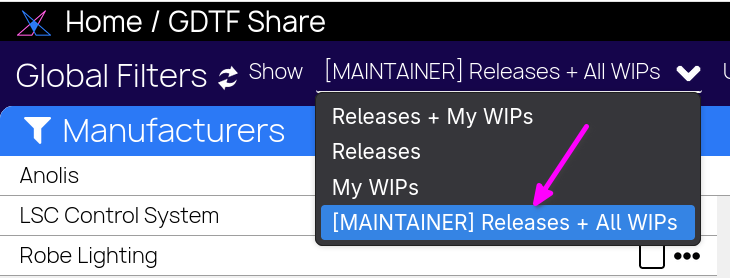
This role provides tools to rename the manufacturer folder, edit fixture names,
and manage fixture categories. To access the specific menus, click the Three dots icon: 
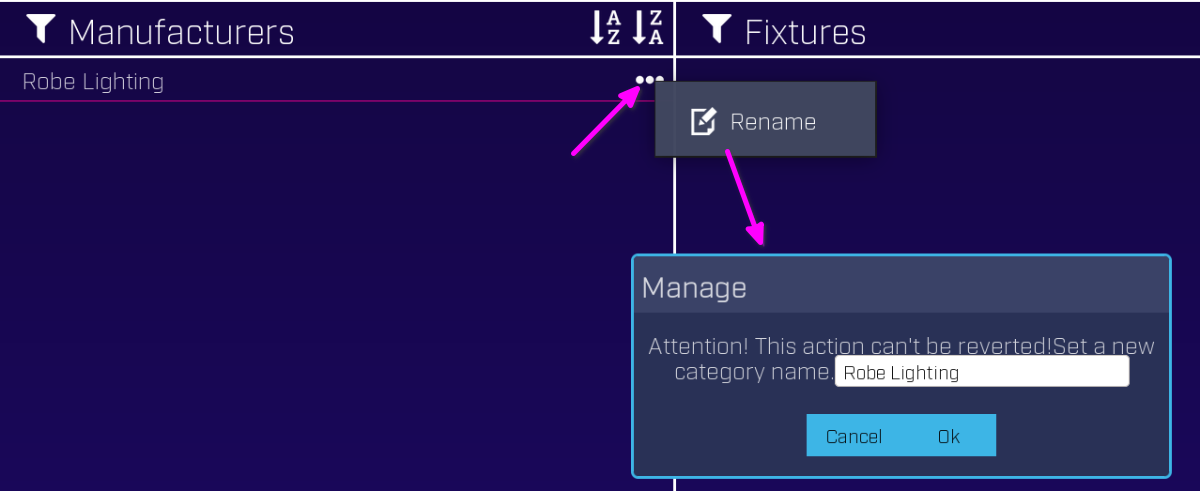
Rename manufacturer folder
Manufacturers can rename their folder. For example, the Robe folder is labeled “Robe Lighting,” while the company name is “Robe Lighting s.r.o.”:
Fixture folder moderation
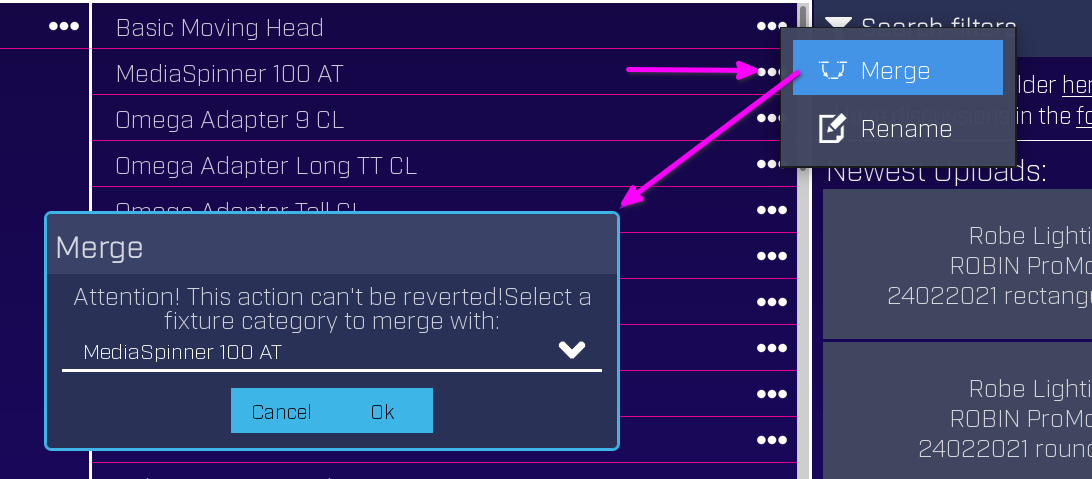
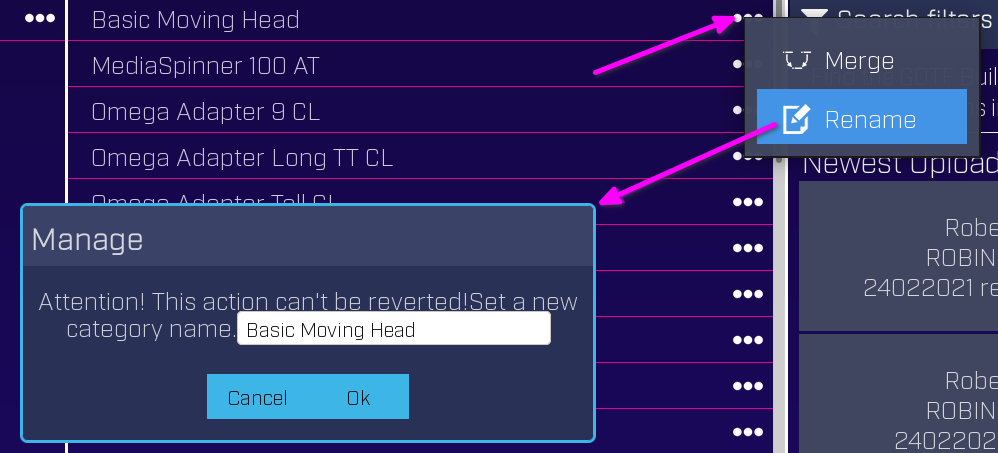
Manufacturers can merge or rename folders:
Fixture moderation
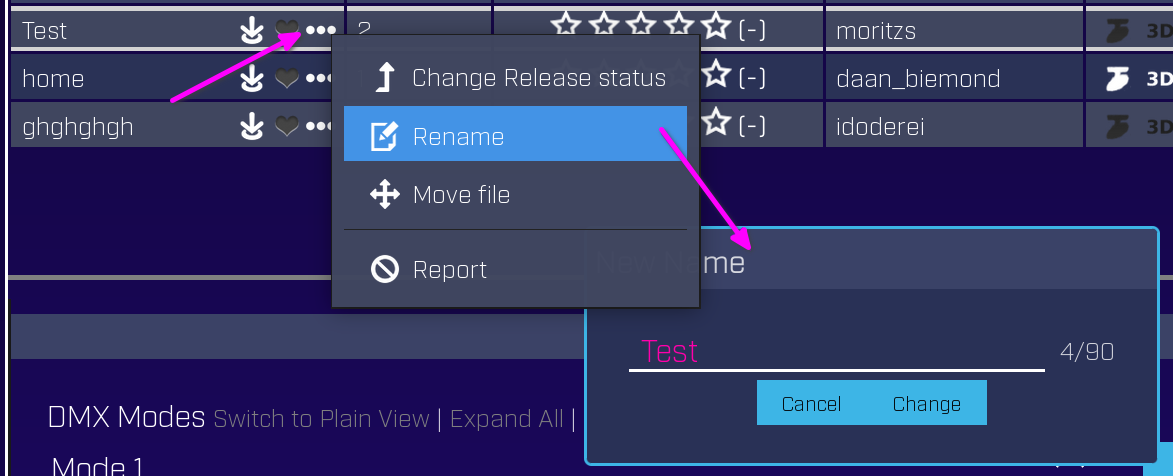
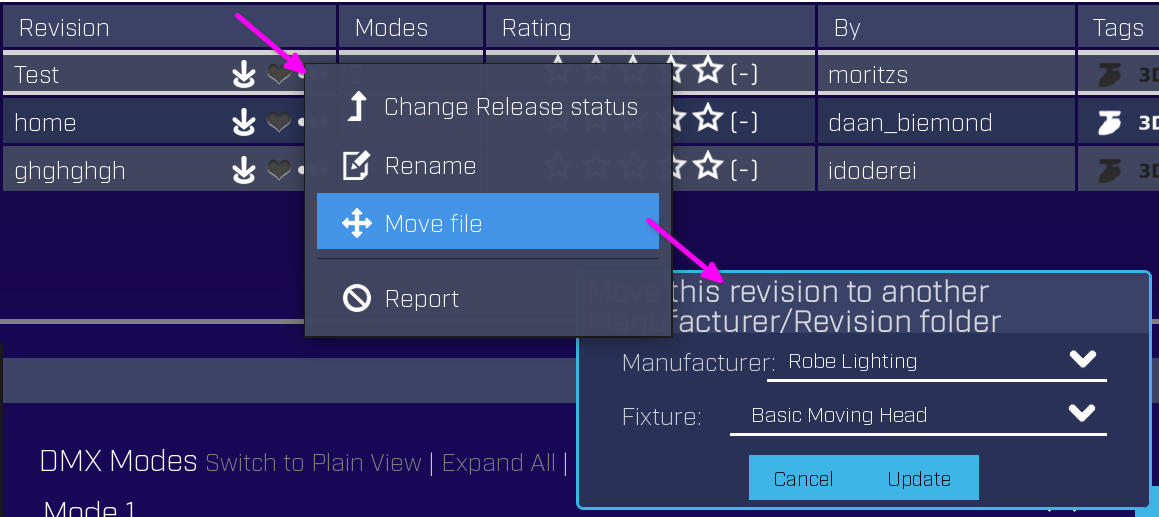
Manufacturers can merge fixtures, move them to the User Test category, or set them as not public by changing the status to WIP.
Tip
After pressing OK, the renaming process starts and may take a minute or two. Refresh the page to see the result.
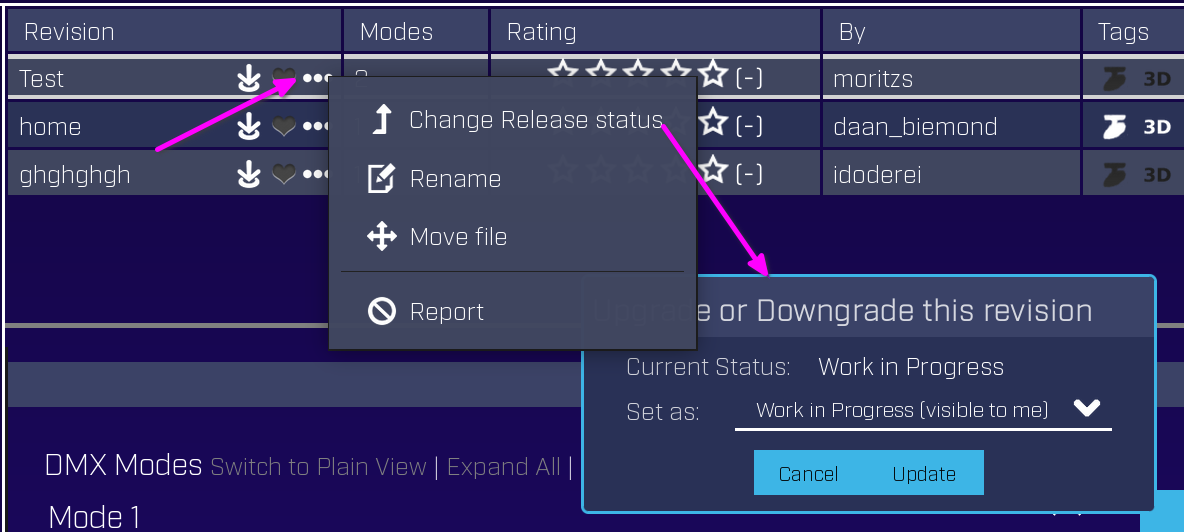
Individual files can be hidden from the public by setting their status to WIP (work in progress):
Manufacturer pages
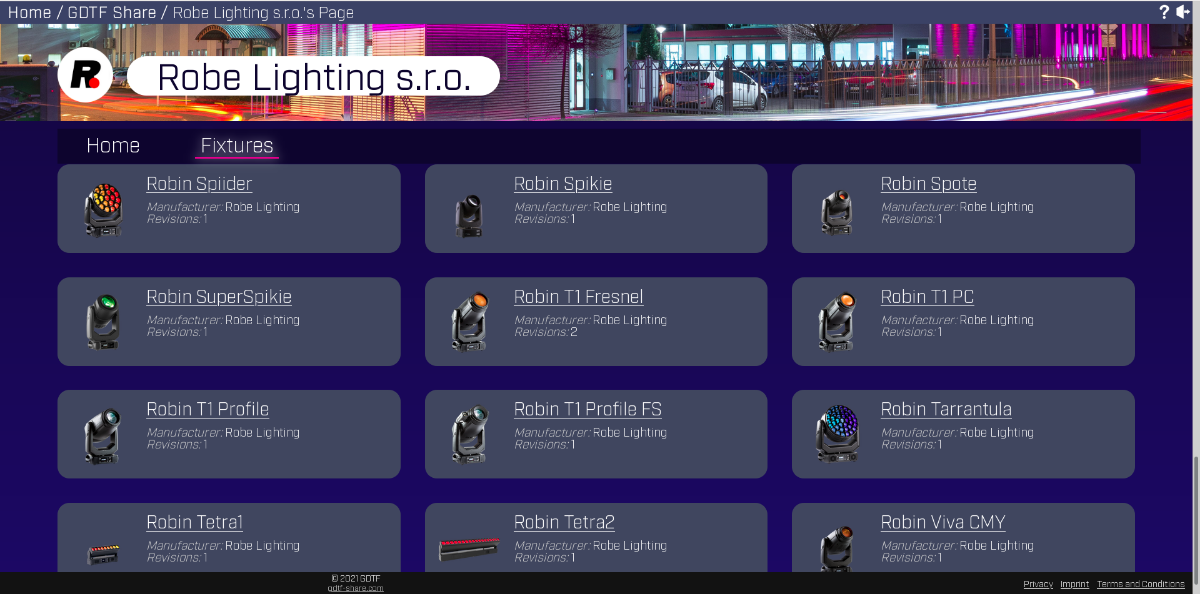
Each manufacturer also has a dedicated page with a representative listing of its files. To edit settings of the Manufacturer page, see dedicated article.
For more information about the GDTF Share, see dedicated article GDTF Share.