Macros
Macros
For a general overview of macros, please watch the video below:
Macros are pre-defined commands that trigger functions in a fixture, such as, Lamp on and Lamp off. Each macro is a child of an existing DMX Mode. To add a macro to a mode, click Add Macro under the corresponding mode.
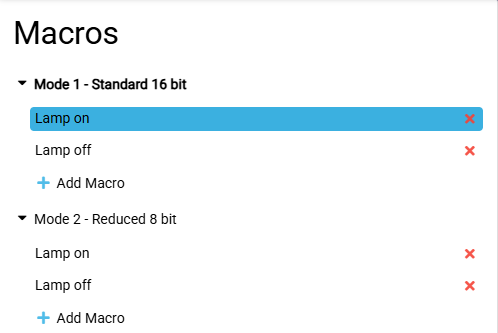
Enter or change an existing name in the Macro Name text field. The Display Resolution can also be changed. The Channel Function defines the link to the channel function. For more information, see the Define DMX Channels topic.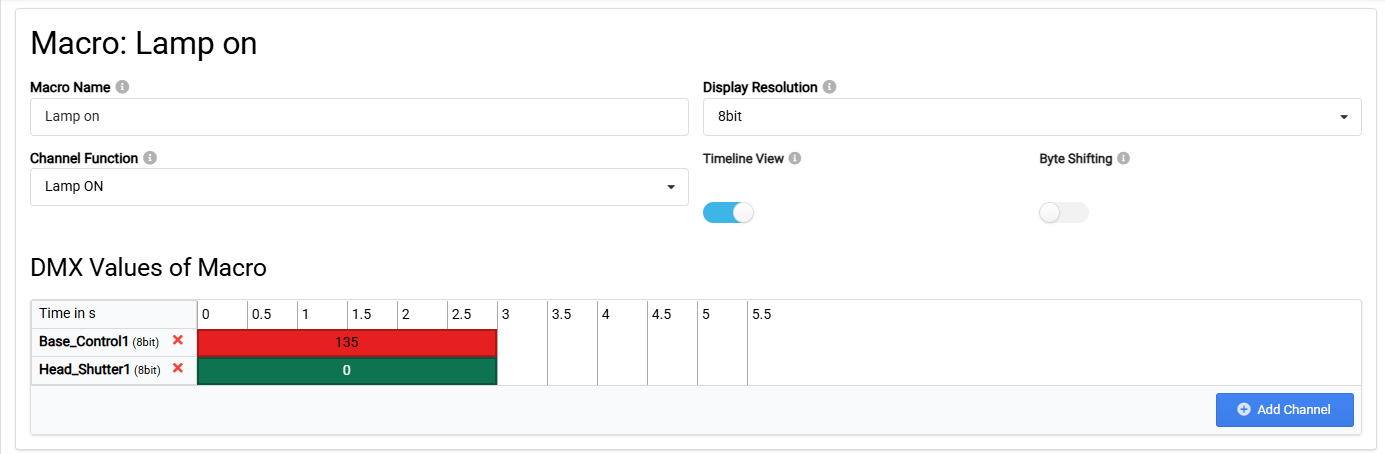
There are two different views to display the DMX Values of Macro.
- To display as a timeline, enable Timeline View. Each column is split in half a second step.
- To display the DMX values as a table, disable Timeline View. In table mode, each column is a step. A step is added by clicking Add Step.

To add channels to the corresponding view, click Add Channel.
Enable Byte Shifting when converting different DMX display resolutions to match the channel control resolution, for example, from percentage to 16 bits. Disabling byte shifting will use Byte Mirroring as default.